Outcome
Record whether a submitted quotation was won or lost, and re-open an enquiry when needed.
Once the quotation is with the client, record the result as soon as you know it. The outcome closes the enquiry, updates the quotation status in D365 and feeds win/loss reporting.
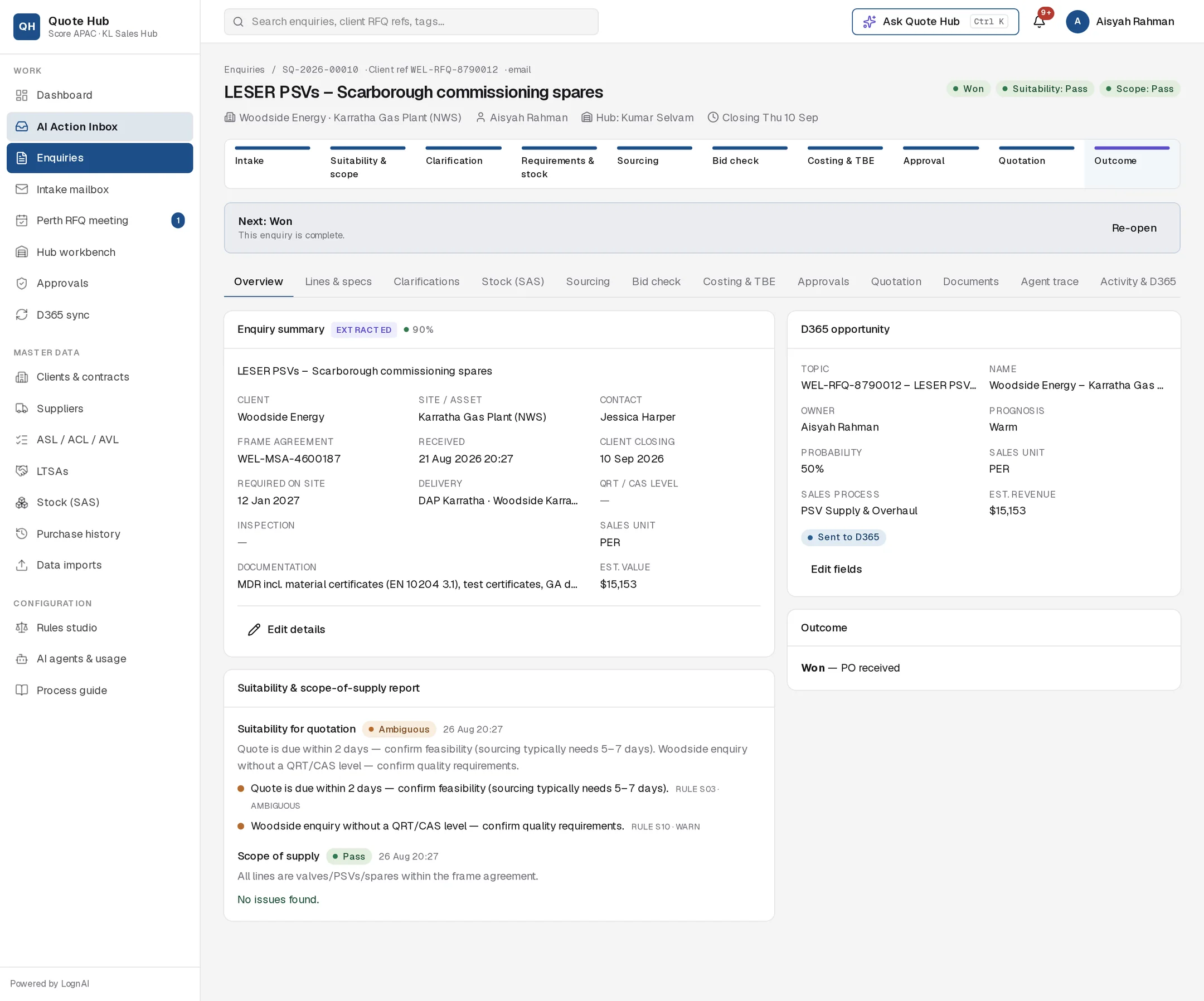
Record the outcome
The Won and Lost buttons appear in the next-action bar while the enquiry is Submitted or in Deviation resolution.
Won
Select Won and enter the PO or award reference when asked, for example "PO 4500881 received". Cancelling the prompt leaves the enquiry open.
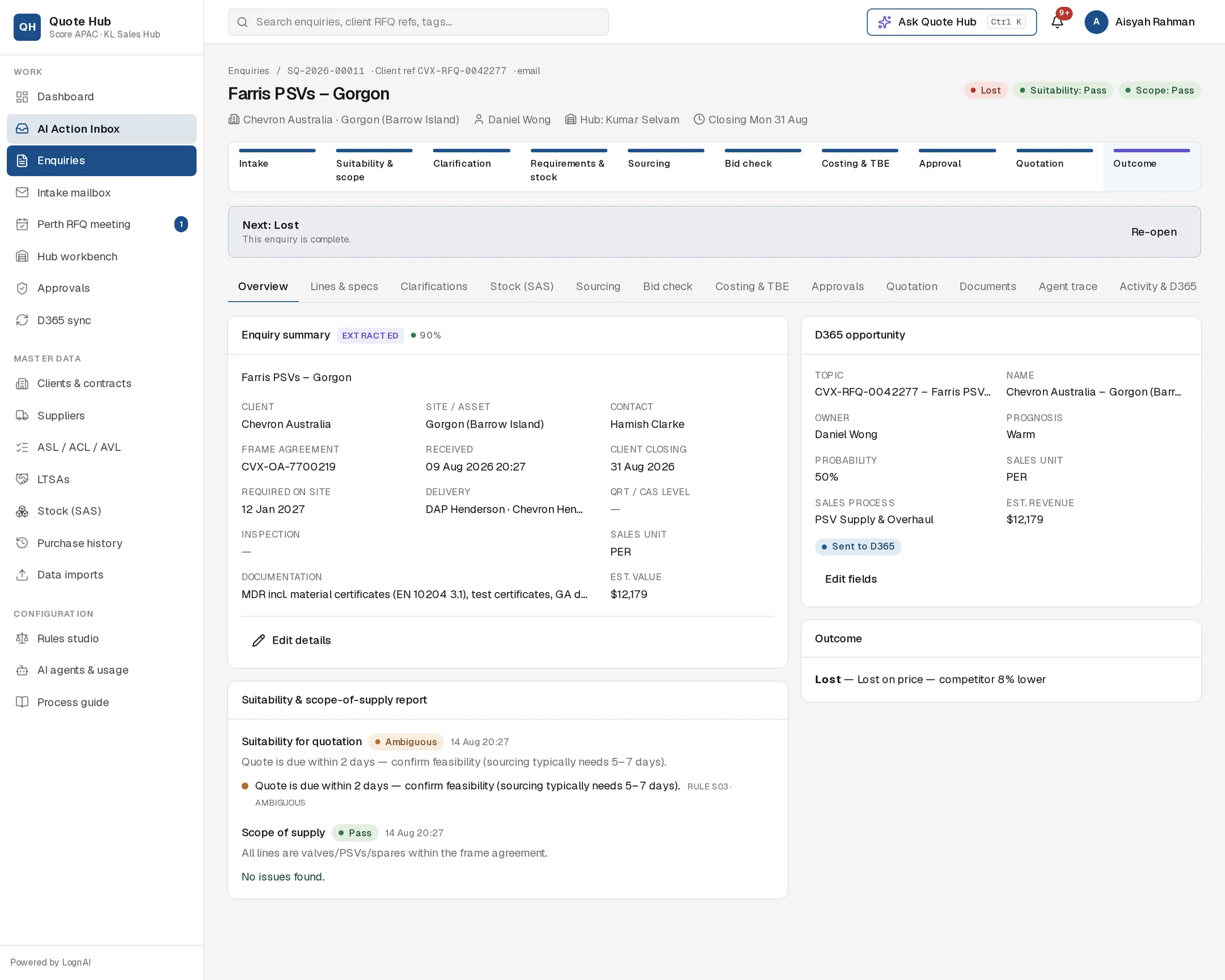
Lost
Select Lost and enter the reason: price, lead time, technical or no award. Add detail where you have it, for example "Lost on price — competitor 8% lower". Cancelling the prompt leaves the enquiry open.
When you record the outcome:
- The enquiry status changes to Won or Lost and the stage bar moves to Outcome.
- The latest sent quotation is marked won or lost.
- A quotation status update ("Won" or "Lost", with your reference or reason) is sent to the D365 import folder. See D365 sync.
- The Outcome card on Overview shows the result and the reference or reason.
When the client responds in the portal
The client can accept or decline the quotation in the client portal, with a comment. You are notified, the quotation shows accepted or rejected, and the client's comment appears as Client response on the Quotation tab.
Acceptance in the portal does not mark the enquiry won. If the enquiry was in Deviation resolution, it moves back to Submitted. Record Won yourself when the PO or award arrives, so the reference is captured.
Activity and D365 updates
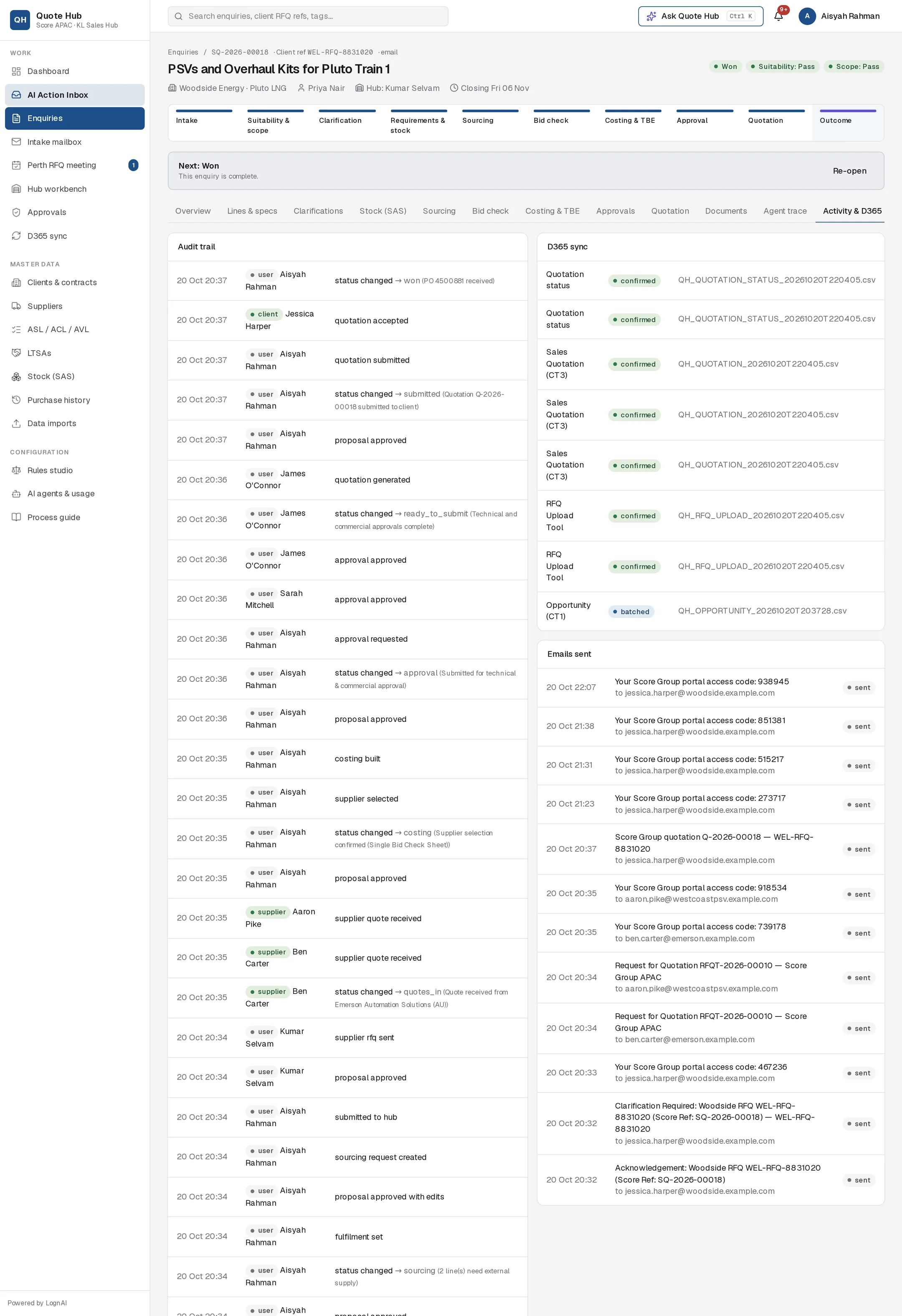
The Activity & D365 tab shows the full audit trail, including who recorded the outcome and the client's portal actions. Its D365 sync panel lists every record sent for this enquiry and whether it is still queued or already in an import batch. Emails sent lists every email that left Quote Hub.
Re-open an enquiry
Select Re-open on a won, lost or closed enquiry, for example when the client re-issues the RFQ or the award is withdrawn. Only the enquiry owner, a sales lead or an administrator can re-open.
Re-opening clears the outcome and its reason, and keeps the lines, quotes, costing and quotation history:
- If a quotation was sent, the enquiry returns to Submitted, the quotation goes back to sent, and a "Sent" status update with the reason "Re-opened" is queued for the D365 import folder.
- Otherwise the enquiry returns to Requirements review.
Work forward from there and issue a new revision if the price changes.
Declined enquiries
Enquiries declined at screening as outside Score's scope of supply are closed with the outcome Declined and the reason you entered. They stay in the enquiry list for reporting. See Screening.
Good to know
- Record the new outcome when it is known.
- On an enquiry closed without a quotation, the stage bar shows the stages between Suitability & scope and Outcome as not done.
- AI run buttons are hidden on won, lost and closed enquiries.
- Every outcome change is in the audit trail with the user and time.