Integrations
The mailboxes, folders and systems Quote Hub exchanges data with, and the activity log for each.
Quote Hub exchanges data with Score's email, OneDrive and SharePoint folders, D365 and SAS through mailboxes and files. The Integrations tab shows each connection and a log of recent activity, so you can confirm that emails go out and files land where they should.
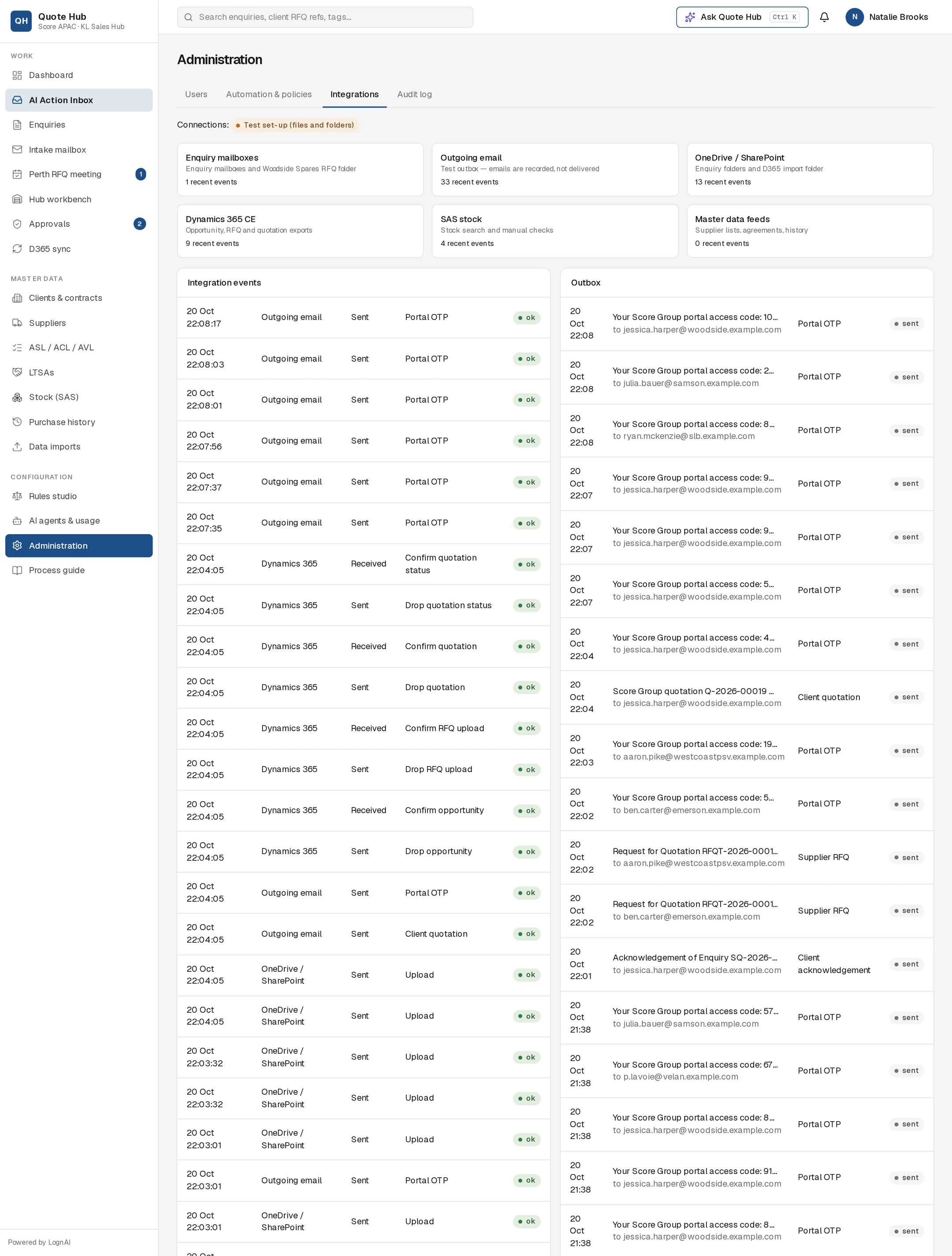
Connections
| Card | What it covers |
|---|---|
| Enquiry mailboxes | The enquiry mailboxes and the Woodside Spares RFQ folder. Quote Hub checks them on the schedule set in Automation & policies. |
| Outgoing email | Emails Quote Hub sends: acknowledgements, clarifications, supplier RFQs, portal access codes, quotations and reminders. The card shows how emails are sent. |
| OneDrive / SharePoint | The enquiry folders where documents are filed, and the D365 import folder where CSV batches are dropped |
| Dynamics 365 CE | Opportunity, RFQ and quotation import files. See D365 sync. |
| SAS stock | Stock searches and manual stock checks against the SAS stock data |
| Master data feeds | Uploads on Data imports: supplier lists, agreements and history |
Each card shows how many of the 60 most recent integration events belong to that connection. A connection with no recent events has not been used lately.
Connections at the top shows whether Quote Hub is connected to Score's live systems (Live) or running in a test set-up (Test set-up (files and folders)).
Integration events
The left table lists the 60 most recent exchanges, newest first:
| Column | Example | Meaning |
|---|---|---|
| Time | 20 Oct 20:37:28 | When it happened |
| System | Enquiry mailboxes, Outgoing email, OneDrive / SharePoint, Dynamics 365, SAS stock, Master data | Which connection |
| Direction | Received or Sent | Received by Quote Hub, or sent from it |
| Action | Received, Upload, Create folder, Search | What was done, in words |
| Status | ok or error | Whether it succeeded |
Look here first when someone reports a missing email or file. An error row shows which step failed.
Outbox
The right table lists the 40 most recent emails Quote Hub sent: time, subject, recipient, email type (for example Supplier RFQ, Client quotation, Portal OTP) and status sent or failed.
To see the emails for one enquiry, open the enquiry's Activity & D365 tab. See Audit log.
Good to know
- Quote Hub does not sync with D365 in both directions. It produces import files; you confirm the import on D365 sync.
- Portal access codes (Portal OTP) are emailed whenever a client or supplier signs in to the portal, so they make up much of the outbox.
- This tab is read-only. Changing a mailbox, folder or provider is a set-up change made outside Quote Hub.