AI agents & usage
See what each AI agent does, how often it runs, how often its proposals are accepted and what it costs.
The AI agents & usage page shows every agent in Quote Hub, how much it ran in the last 30 days, how people decided on its proposals, and the estimated AI cost.
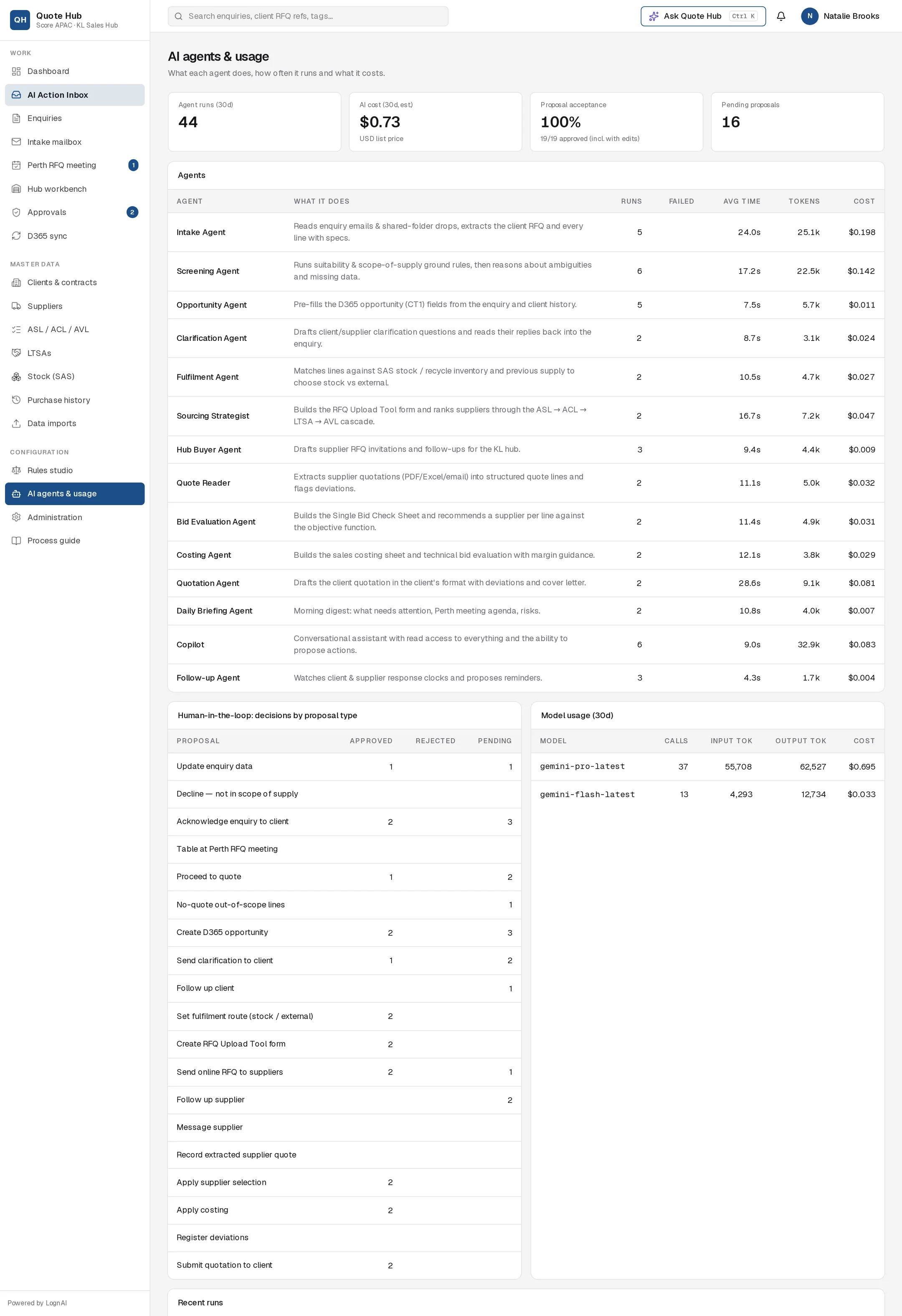
Summary tiles
| Tile | What it shows |
|---|---|
| Agent runs (30d) | All agent runs started in the last 30 days |
| AI cost (30d, est.) | Estimated AI cost for the last 30 days, in US dollars at list price |
| Proposal acceptance | Share of decided proposals that were approved, including those approved with edits. The hint shows approved over decided. |
| Pending proposals | Proposals still waiting for a decision in the AI Action Inbox |
Agents
One row per agent, in process order: Intake Agent, Screening Agent, Opportunity Agent, Clarification Agent, Fulfilment Agent, Sourcing Strategist, Hub Buyer Agent, Quote Reader, Bid Evaluation Agent, Costing Agent, Quotation Agent, Daily Briefing Agent, Copilot and Follow-up Agent. For a description of each, see AI agents.
| Column | What it shows (last 30 days) |
|---|---|
| What it does | One-line description of the agent |
| Runs | Number of runs |
| Failed | Runs that ended in an error. Blank when none failed. |
| Avg time | Average run time in seconds |
| Tokens | Text processed and produced, in thousands |
| Cost | Estimated cost in US dollars |
Decisions by proposal type
Human-in-the-loop: decisions by proposal type lists every kind of proposal an agent can make, such as Acknowledge enquiry to client, Create D365 opportunity or Submit quotation to client, with how many were Approved, Rejected and are Pending. These counts cover all time, not only the last 30 days.
Use it to see where people accept the AI's work as proposed and where they reject it. A type with a high approval count and no rejections may be a candidate for autopilot. See Automation & policies.
Model usage
Model usage (30d) shows, per AI model, the number of calls, input and output tokens, and estimated cost.
Recent runs
Recent runs at the bottom shows the 25 latest agent runs with their step-by-step trace: what the agent read, which rules and tools it used and what it proposed. See Agent trace.
Good to know
- Costs are estimates for budgeting. They are not an invoice.
- Every signed-in user can open this page. It is read-only.