Data imports
Refresh suppliers, approved lists, LTSAs, stock and price history from Excel exports.
The Master-data imports page refreshes Quote Hub's reference data from Score's own system exports. Each card covers one kind of data, with a template to download and an upload button.
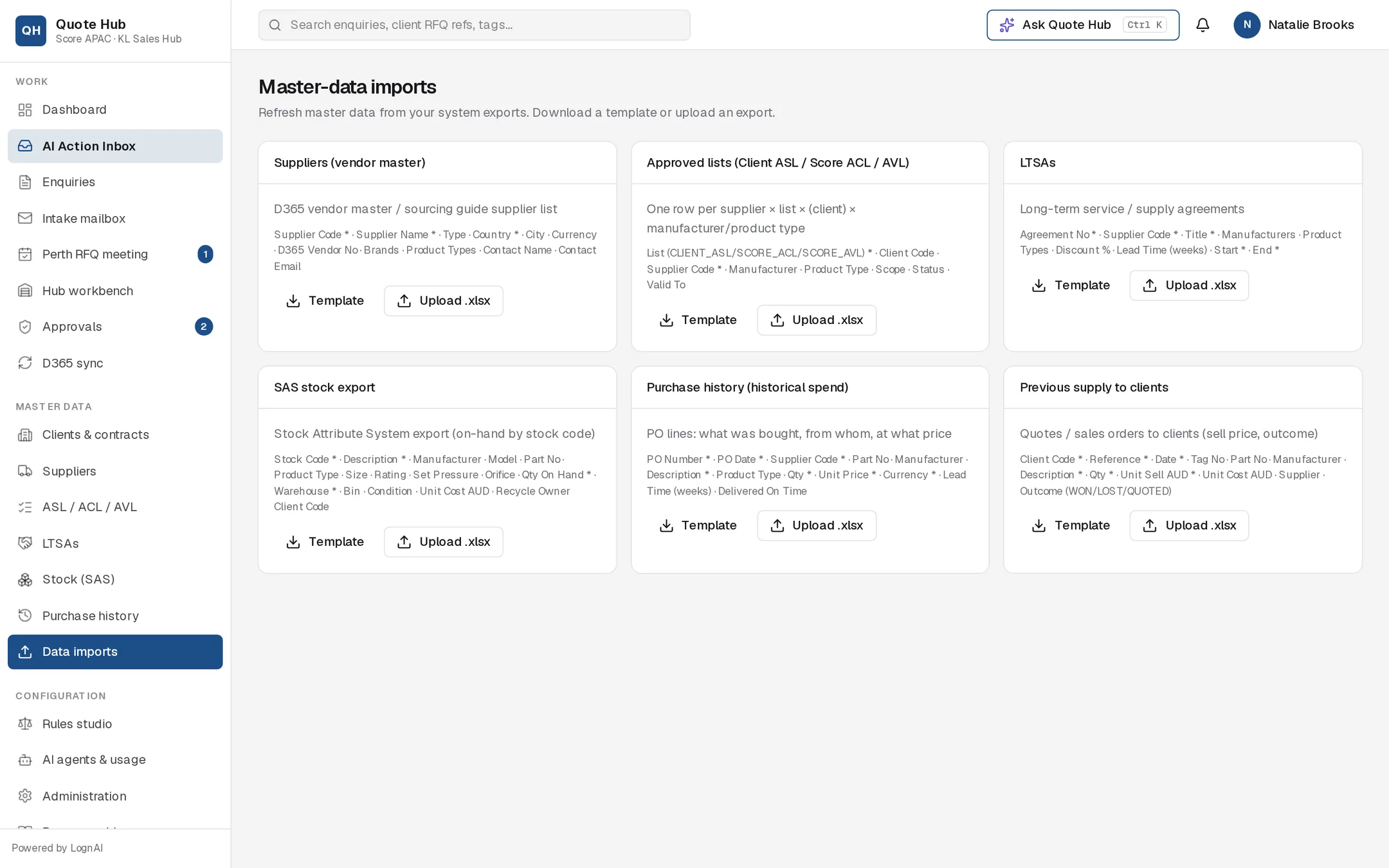
Upload a file
Get the template
Select Template on the card to download an Excel file with the expected column headers. Required columns end with *.
Fill or export the data
Put one record per row under the header row. You can also upload Score's data request workbook as it is: Quote Hub finds the sheet whose headers match, skips the Required/Optional row under the headers and skips the marked example row.
Upload
Select Upload .xlsx and choose the file. Only Excel .xlsx files are accepted.
Check the result
The card shows "N imported, N rejected" and the first five rejected rows with their row number and reason, for example a missing required value or a supplier code Quote Hub does not know.
Re-importing updates existing rows
Every import updates a matching record instead of adding a second copy, so you can upload a full list again. Suppliers, LTSAs and SAS stock match on their code or number. Approved lists match on list, supplier, client, manufacturer and product type. Purchase history matches on PO number and part number (or description). Previous supply matches on client, reference and part number (or description).
Import types
Required columns are marked Yes. Column names are not case-sensitive.
D365 vendor master or sourcing guide supplier list. Matched on Supplier Code.
| Column | Required |
|---|---|
| Supplier Code | Yes |
| Supplier Name | Yes |
| Type (OEM, Authorised agent, Distributor, Service, Other) | |
| Country | Yes |
| City, Currency, D365 Vendor No | |
| Brands, Product Types | |
| Contact Name, Contact Email |
Type defaults to OEM and Currency to AUD. A new contact email is added as a primary contact.
Good to know
- Anyone can download a template. Uploading needs the Administrator, Sales lead or Hub lead role.
- If a required column is missing from the header row, the whole file is rejected and the message names the missing columns.
- In list columns (Brands, Product Types, Manufacturers), separate values with commas or semicolons.
- Delivered On Time accepts Y, Yes, True or 1.
- Every completed upload is recorded in the Audit log and in the integration activity on Integrations.