Approvals
Technical and commercial sign-off on the costing sheet before the quotation goes to the client.
Every quotation needs two approvals: a technical approval of the TBE and a commercial approval of the price and margin under Score's delegation of authority (DOA). Both start when the sales engineer selects Submit for approval on the costing sheet, and run side by side.
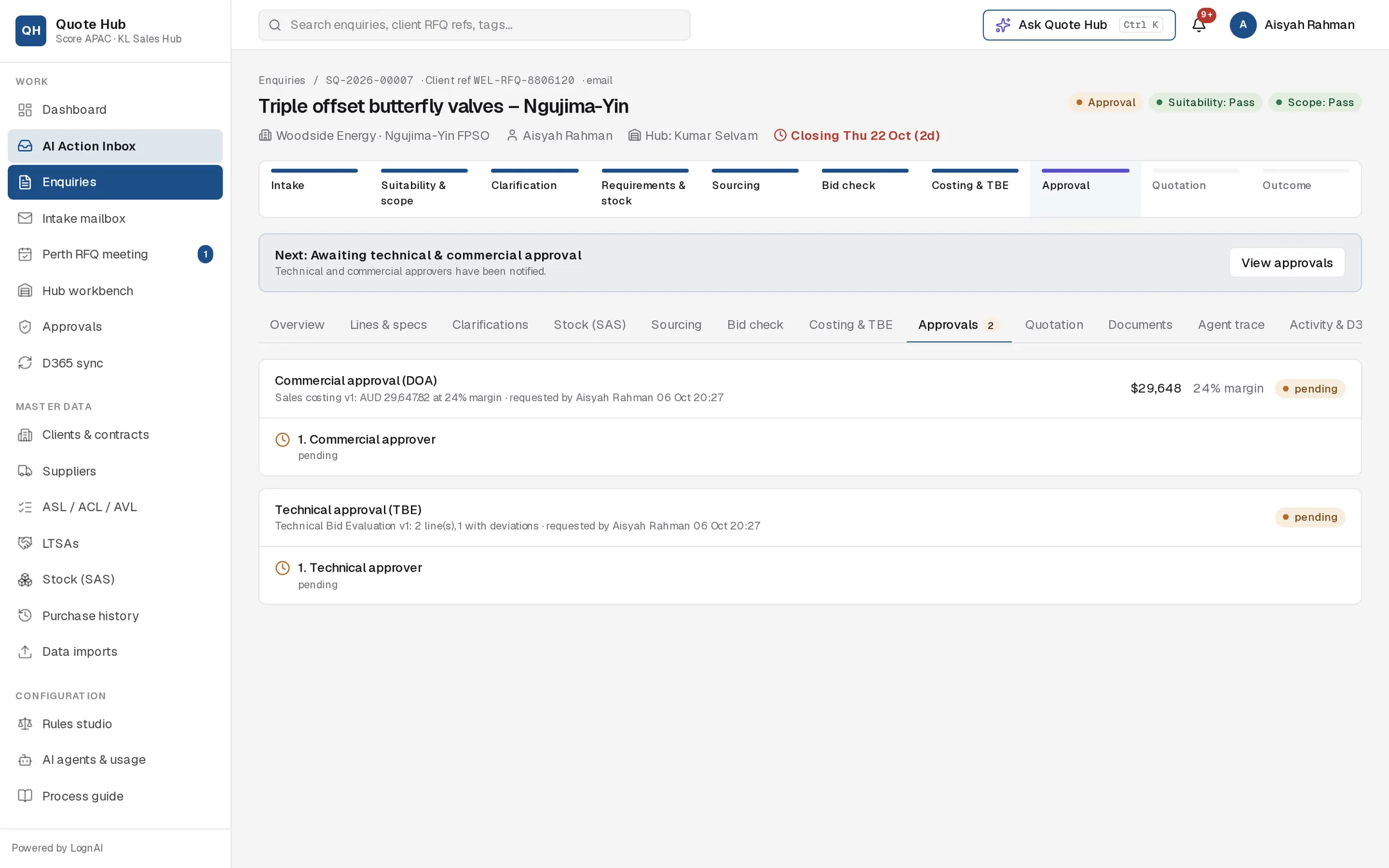
The two approvals
| Approval | Card title | Approvers |
|---|---|---|
| Technical | Technical approval (TBE) | One technical approver |
| Commercial | Commercial approval (DOA) | One or more approvers, set by value, margin and single bids |
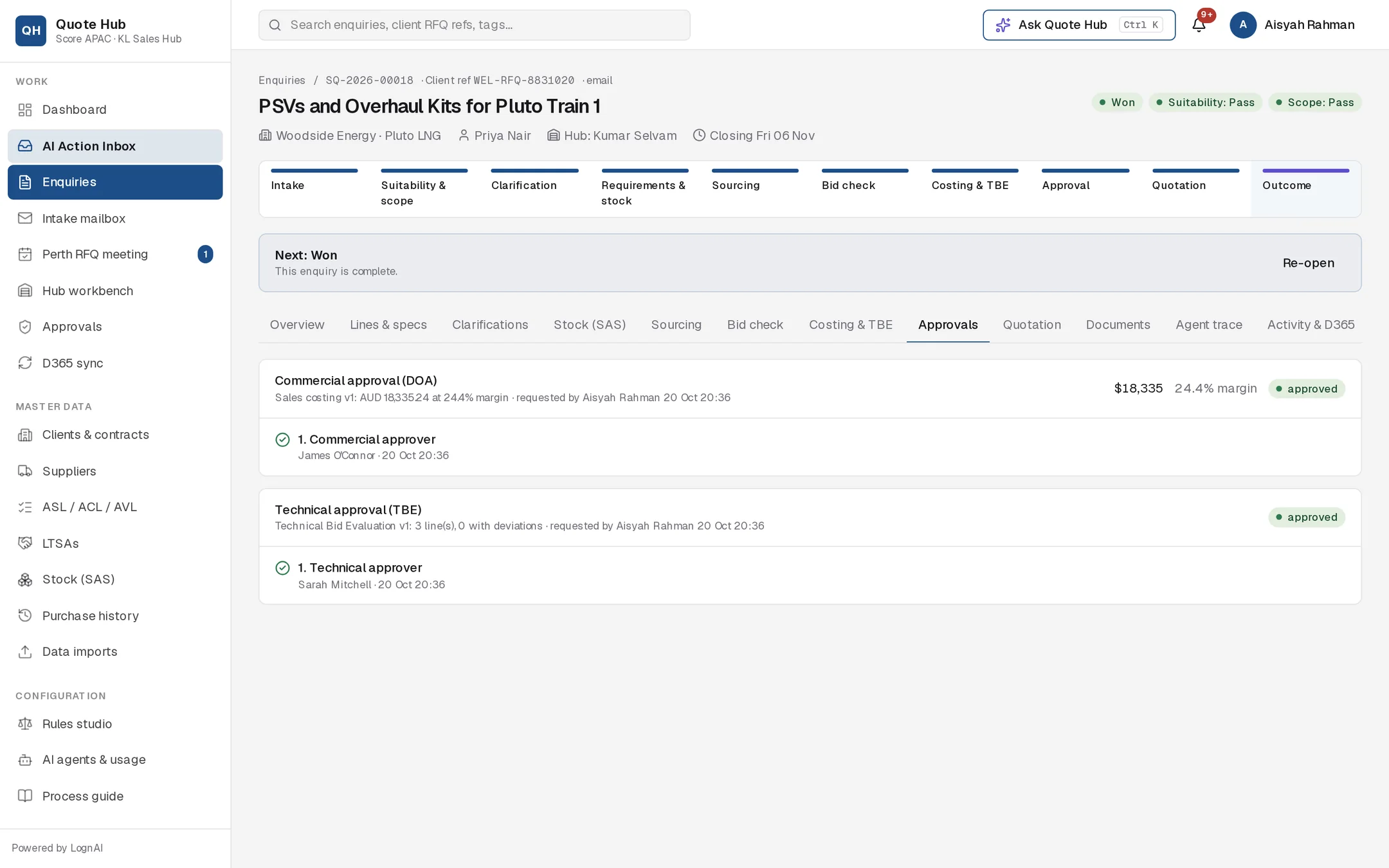
Each card shows a summary of the costing version and who requested it. The commercial card also shows the total sell value and margin. The technical card shows how many lines have deviations, but not the value or margin. The commercial approval follows the same DOA steps as the D365 TR12 quotation workflow. Nothing is sent to D365 at this stage.
Who approves commercially
The commercial chain depends on the total sell value of the costing sheet:
| Total sell (AUD) | Approvers, in order |
|---|---|
| Up to $50,000 | Commercial approver |
| Up to $250,000 | Sales lead (Perth), then commercial approver |
| Above $250,000 | Sales lead, commercial approver, then GM / admin |
Two conditions add the sales lead to any tier:
- the overall margin is below 15%
- the bid check has a single bid on at least one line
Approvers act one at a time, in the order sales lead, commercial approver, GM / admin. Each is notified when their step opens. The current limits are shown at the top of the Approvals page, with plain role names (for example Sales Lead (Perth) → Commercial Approver → General manager), and are set by an administrator.
For approvers
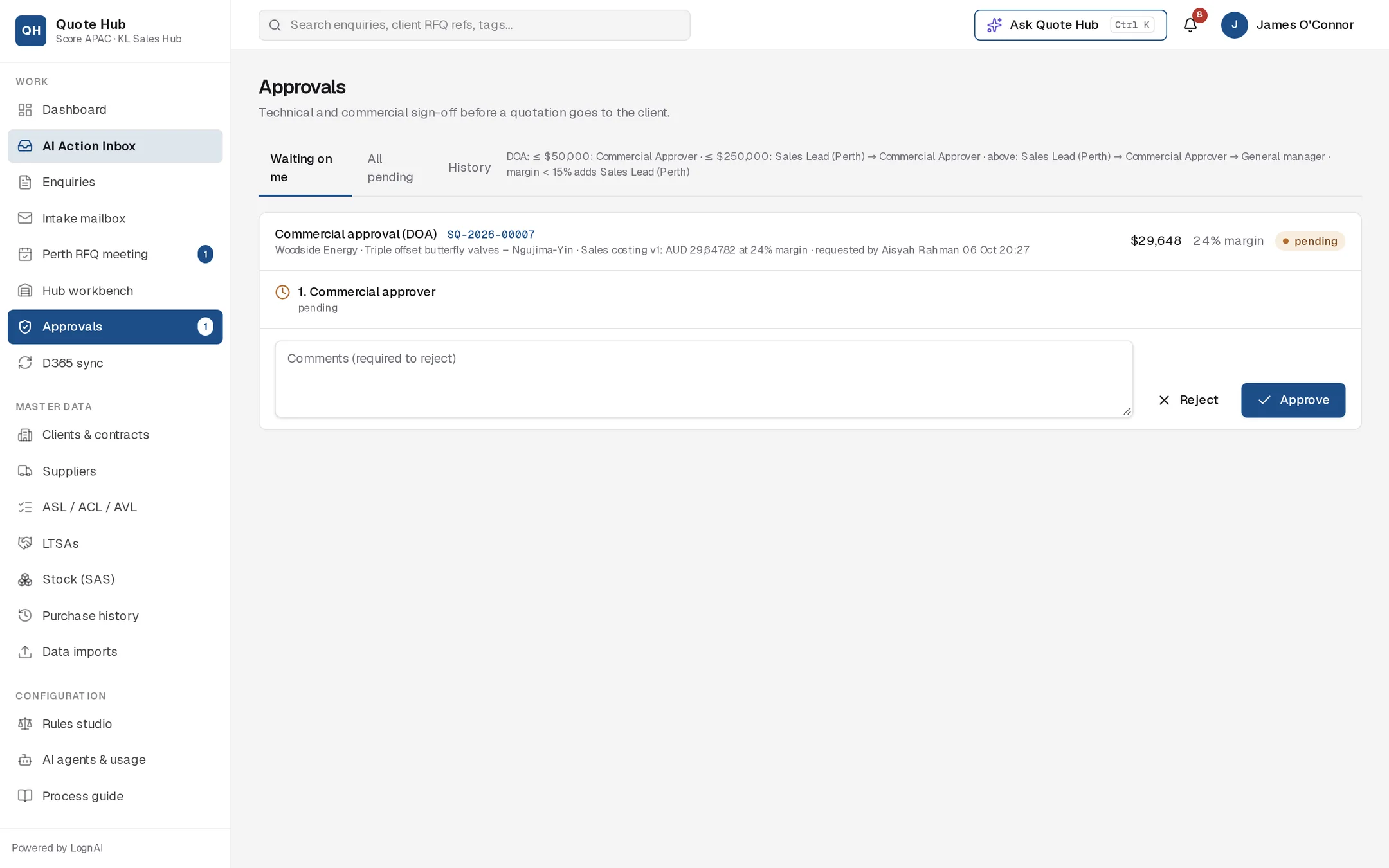
Open your queue
Select Approvals in the sidebar. Waiting on me lists the approvals where your step is open. All pending shows every open approval, and History shows decided and cancelled ones. Cancelled approvals leave Waiting on me and All pending straight away.
Review the enquiry
Select the enquiry number on the card to open its costing sheet and deviation register.
Decide
Add comments if you wish and select Approve. To reject, enter a comment explaining why, then select Reject. A comment is required to reject.
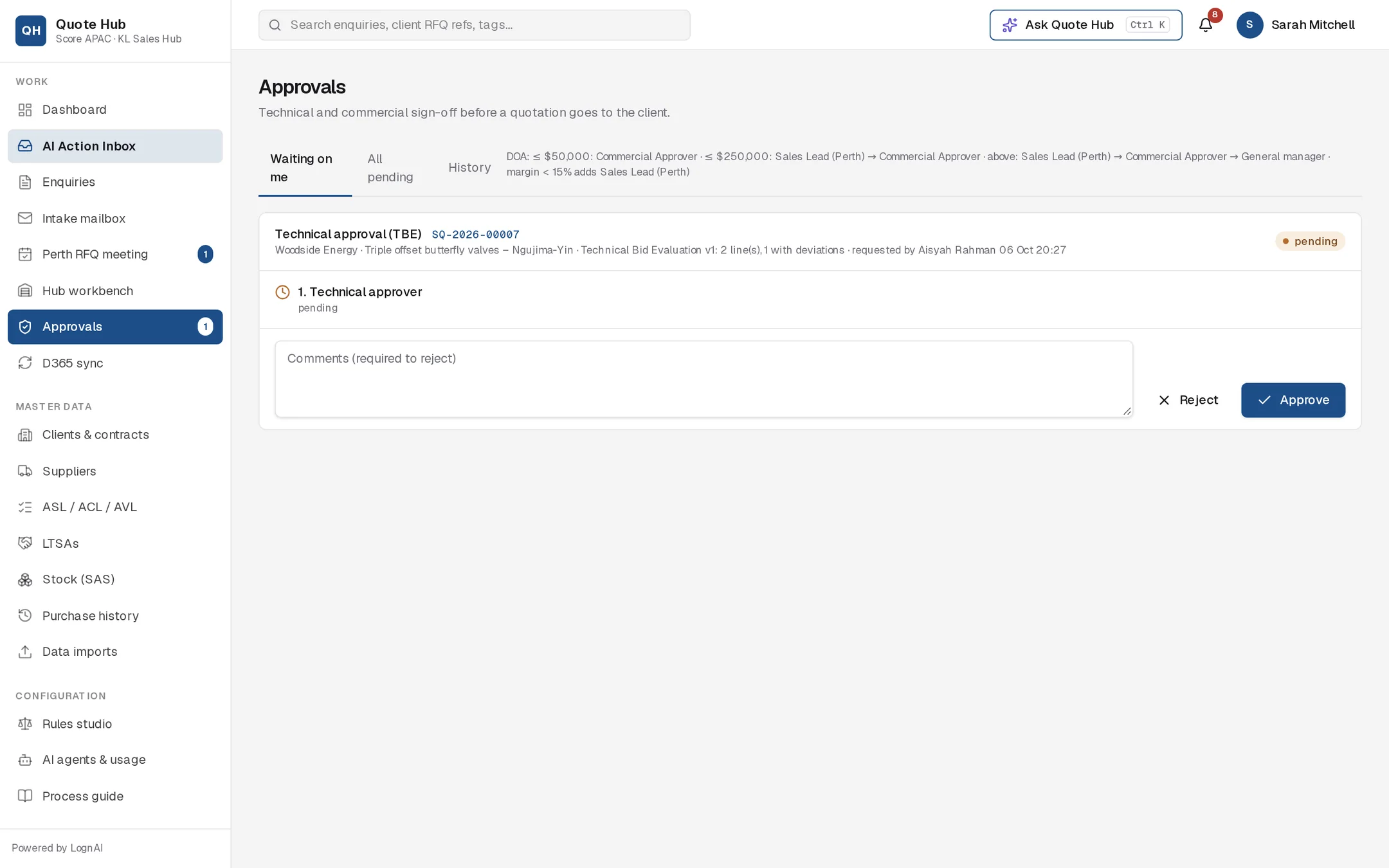
Administrators can decide any open step. The admin view of All pending shows both approvals for each enquiry.
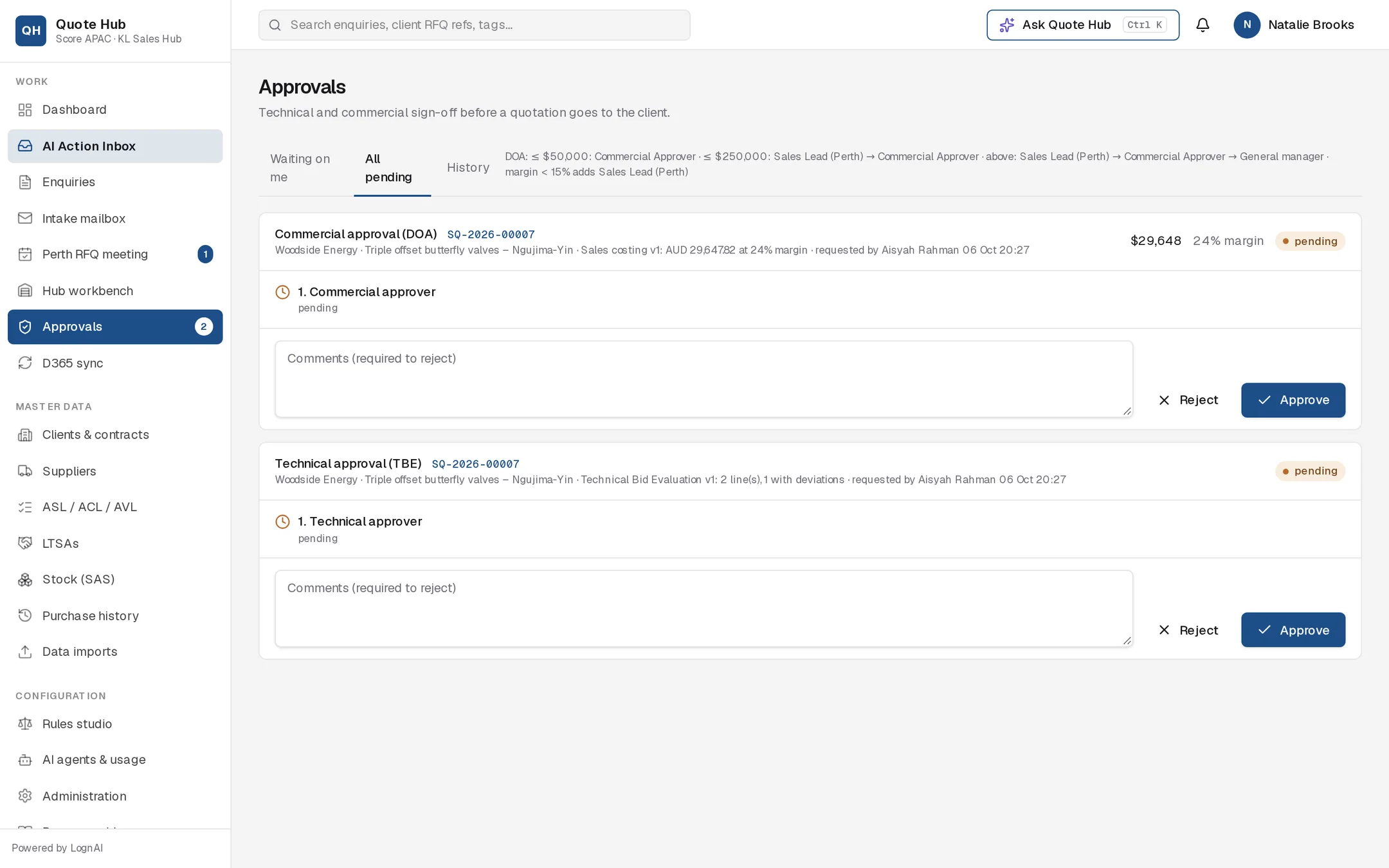
For the sales engineer
Follow progress on the enquiry's Approvals tab. Each step shows who decided, when, and any comment. A tick means approved, a clock means waiting on that approver, and a cross means rejected.
If an approval is rejected
- The enquiry goes back to Costing & TBE and the costing sheet returns to draft.
- The other approval, if still pending, is cancelled and leaves every approver's queue.
- You are notified with the approver's comment.
- Fix the costing or TBE, then select Submit for approval again. A fresh pair of approvals is created.
When both are approved
- The costing sheet and bid check are marked approved.
- The enquiry moves to Ready to submit and you are notified.
- Quote Hub generates the quotation. Continue on the Quotation tab.
Good to know
- Submitting again always creates new approvals against the latest costing version.
- The costing sheet is locked while approvals are open.
- If the costing is rebuilt or a line's price changes after you submit, including after approval or once the quotation is sent and before an outcome, the approvals are cancelled and the enquiry returns to Costing & TBE with the message Approval needed again. An approved quotation that has not been sent goes back to draft. See Costing & TBE.