Daily briefing
A short AI summary of your priorities, waiting items and risks, shown on your dashboard.
WhoAll users· Dashboard
The Daily briefing card on your dashboard summarises what needs your attention today. It is written for you: a sales engineer's briefing covers the enquiries they own, a hub buyer's covers the enquiries assigned to them, and other roles see all open enquiries.
Dashboard
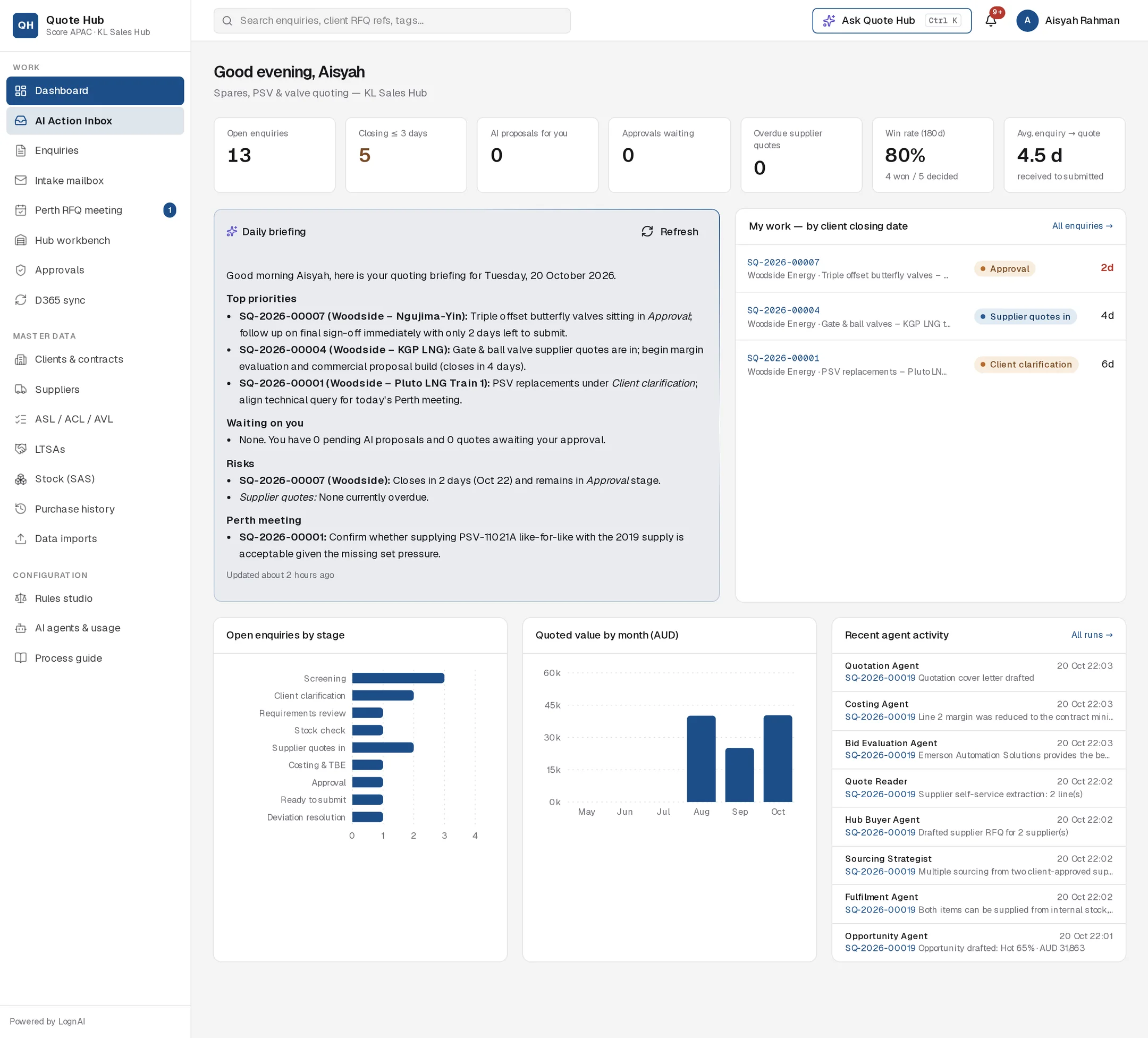
What it covers
| Section | Contents |
|---|---|
| Top priorities | Up to five items, most urgent first, with SQ numbers |
| Waiting on you | Your pending AI proposals and approvals |
| Risks | Enquiries closing within three days and overdue supplier quotes |
| Perth meeting | Today's agenda items, when there are any |
It draws on your open enquiries and their closing dates, your pending AI proposals, approvals waiting for your role, today's Perth RFQ meeting agenda and overdue supplier quotations.
Generate or refresh
The briefing is prepared when you ask for it.
First time
Select Generate on the Daily briefing card.
Later
Select Refresh to prepare a new briefing from the current data. The line at the bottom shows when it was last updated.
Good to know
- The card shows your most recent briefing until you refresh it. Refresh at the start of the day, or after a busy morning, to see the current picture.
- The briefing only reads data. To act on an item, open the enquiry or the AI Action Inbox.
- For a specific question, use Ask Quote Hub, for example "What needs my attention today?".